Preventive lights dashboard
Every rule, every phase, live: what to do now and what comes next. The score of the flight so far is always in view.
Free
SimFlyMinimums follows your flight phase by phase: what is still to do, what was missed and what it is worth under your airline's rules — during the flight and in a report at the end.
Free Premium
The lights are preventive: they warn you while there is still time. A light turns amber when an action is due now, so you do it before it costs points, green when it is done, red when it was missed. A perfect touchdown earns a bonus. The dashboard has one row per rule and one column per flight phase, the sections of your aircraft's own checklist, and an amber light also shows on the page you are flying with.
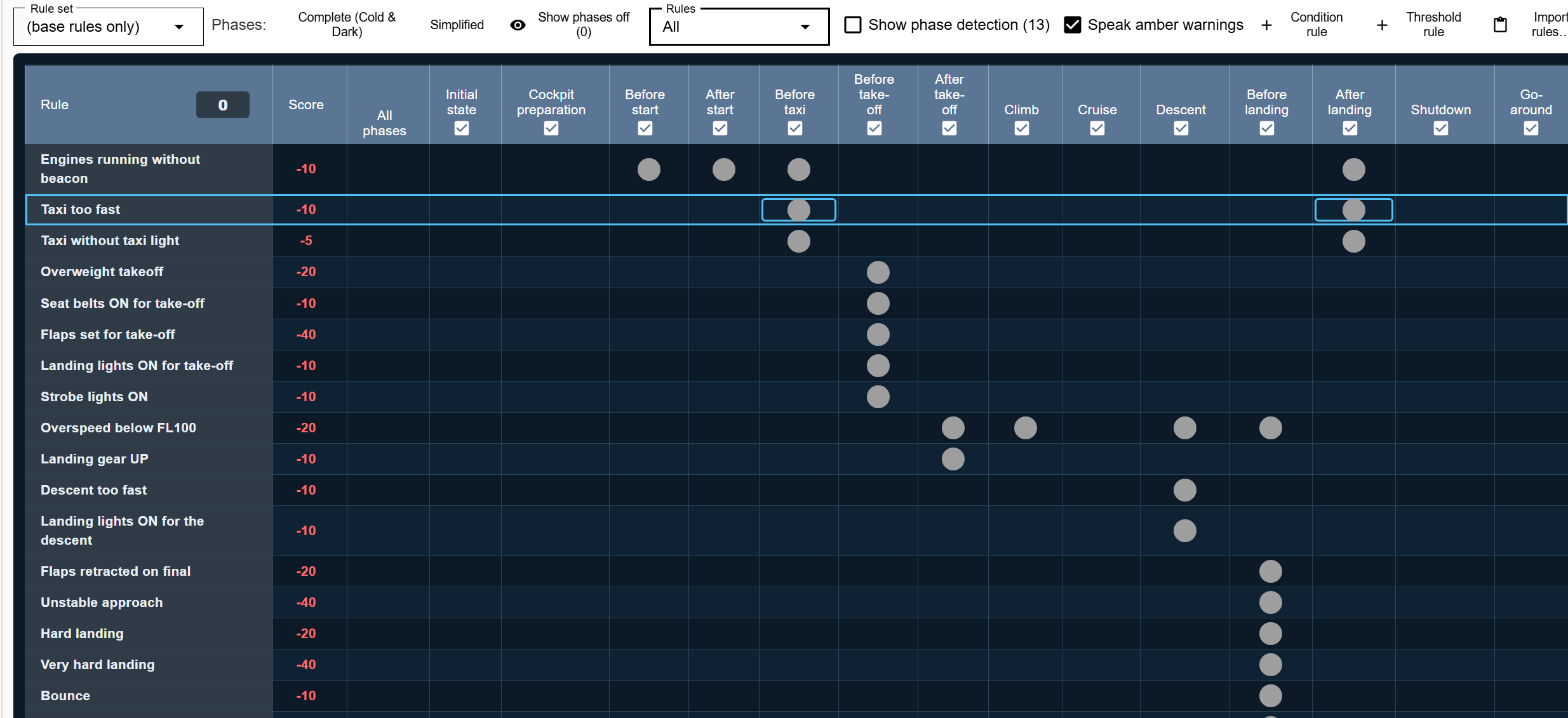
Every rule, every phase, live: what to do now and what comes next. The score of the flight so far is always in view.
The checklist of each phase opens by itself as the flight moves on, from the cockpit preparation to the shutdown.
When a rule is broken you hear it and see it at once, not only in the report.
Every flight is recorded. The report lists the rules that fired, in which phase and what they were worth, with the flight's data to look back at the approach or the landing.
Score, rules fired and the phase they fired in. Free keeps your last three flights; Premium keeps them all.
Take the recorded flight with you as a CSV file.
SimFlyMinimums comes with its own rule set. Paste the scoring criteria of your virtual airline and the AI turns them into a rule set for the dashboard; you review every rule before it is saved, and what cannot be measured in the simulator is listed apart.
From your airline's text to a rule set in minutes. Choose which rule set the dashboard follows.
Change a limit, a phase or the points of a rule, or add your own.
The points are local estimates to help you fly better. They are not your airline's official evaluation.
Sign in with your IVAO account, load your active IVAO flight plan, or open the IVAO flight plan form already filled in from your SimBrief OFP or your route on the map. You check it and submit it on IVAO.
The IVAO form filled in from the plan you made in SimFlyMinimums.
Sign in with IVAO and load the plan you filed, read-only, in Flight Plans.
Get a code for your pilots, or send us your scoring criteria and we will help you turn them into a rule set.